
On this page
- What is hospital billing software?
- Why billing is harder in a hospital than a clinic
- Where hospitals lose revenue
- Features that matter in hospital billing software
- 1. Separate billing flows for each department
- 2. Automatic daily room charges
- 3. IPD billing with status tracking and deposits
- 4. GST and HSN codes built in
- 5. Invoice numbering that follows the Indian financial year
- 6. Every payment mode, with refunds and returns
- 7. Charge, tariff and package masters
- 8. Reports the owner actually uses
- Insurance and TPA billing
- Doctor payouts come from the same bills
- Questions to ask in a billing software demo
- Billing on its own, or inside an HMIS?
- See your own discharge bill built live
- Frequently asked questions
- What is hospital billing software?
- Is Tapti HMIS billing GST compliant?
- Can OPD, IPD and diagnostics be billed separately?
- Are room charges added to the IPD bill automatically?
- Does Tapti handle TPA and cashless claims?
- Which Tapti packages include the billing module?
A hospital rarely loses money in one dramatic mistake. It loses it quietly: a bed-day nobody charged, a lab test billed on paper and never entered, a deposit nobody adjusted at discharge, a cashless file that was never submitted.
None of these show up as a loss. They never show up at all. Hospital billing software exists to fix that.
This guide explains what billing software must do in an Indian hospital, where revenue usually slips through, and what to check before you sign. If you want the feature list first, see the billing module. If you want the price picture, read our guide to HMIS software price in India.
What is hospital billing software?
Hospital billing software records every chargeable service a patient receives and turns it into a correct invoice, receipt or claim. In a clinic, that can be a single consultation fee. In a hospital, it is far more:
OPD consultations and procedures
Inpatient stays with daily room charges, doctor visits, medicines and surgery
Lab and radiology tests, sometimes for patients who never see a doctor at your hospital
Health packages sold as one bundle
Deposits, refunds, balance payments and insurance shares
Good billing software collects charges from the departments where the work happened, so the invoice builds itself as the patient moves through the hospital.
Why billing is harder in a hospital than a clinic
A clinic bills once per visit. A hospital bills across days, departments and payers.
Time. An IPD stay runs for days. Charges accumulate every morning, and the final bill has to reflect every one of them.
Departments. Reception, wards, the lab, the OT and the pharmacy all generate charges. If any of them works on paper, someone has to re-type it, and re-typing is where charges disappear.
Payers. One patient's bill may be split between the patient, a deposit already paid, and an insurer or TPA. Each share has to reconcile.
Doctors. In-house consultants and visiting surgeons each expect their share for the work they do. Those payouts depend on the same bills.
Billing works best inside the same system as the clinical work. That system is an HMIS; our post on HMIS vs HIS vs EMR explains the difference.
Where hospitals lose revenue
Walk through a typical discharge and you will find the usual leak points:
Missed bed-days. The room charge for a day was never posted because nobody entered it.
Paper charges. A test or procedure was done and noted in a register, but never reached the invoice.
Unadjusted deposits. The deposit sits in a receipt book while the final bill is calculated without it.
Lapsed insurance files. A pre-authorisation expired, or a cashless file was never submitted or followed up.
Payment-mode confusion. A UPI payment is recorded as cash, so the day's balance never matches.
Outstanding amounts nobody chases. Partial payments with no report showing what is still due.
Each of these has a software answer. The rest of this guide is about those answers.
Features that matter in hospital billing software
1. Separate billing flows for each department
OPD, IPD and diagnostics bill differently. One generic invoice screen forces staff into workarounds. Tapti HMIS has four billing flows: OPD invoices, IPD invoices, standalone diagnostic invoices and health-package invoices, each built for how that department actually bills.
Standalone diagnostic invoicing matters for patients who walk in for a test only. Tapti's diagnostic invoice handles them separately from OPD and IPD billing, with sample collection dates tracked on the invoice.
2. Automatic daily room charges
This closes the missed bed-day leak. In Tapti HMIS, a background job applies room and bed charges for every admitted patient at 5:00 AM IST each day, and recovers any missed charges on startup. When a patient is shifted to another room or bed, the shift is recorded, so charges follow the patient. The IPD module covers this in detail.
3. IPD billing with status tracking and deposits
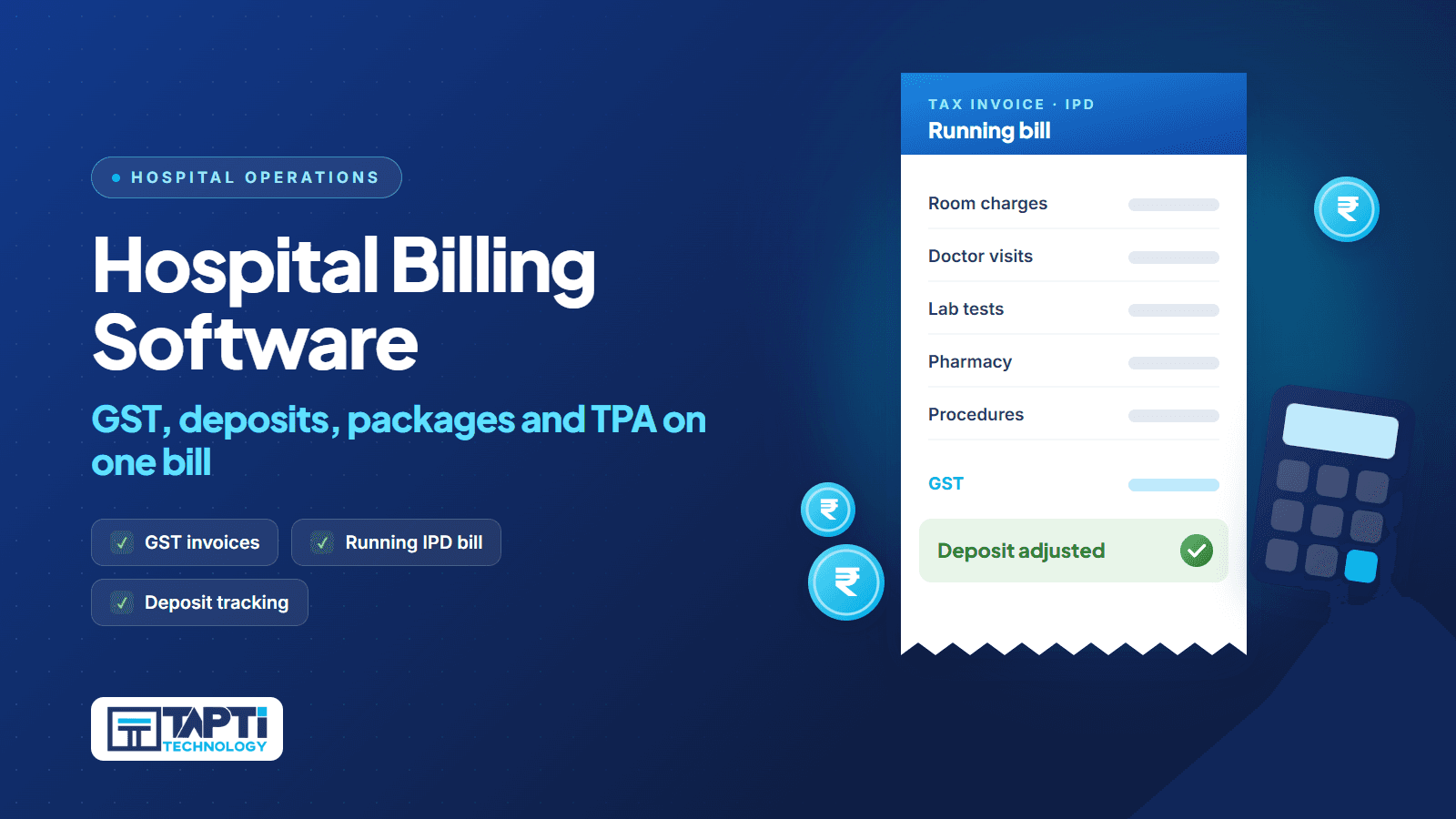
An inpatient bill is a running document, not a one-time print. In Tapti, IPD bills move through statuses such as Pending and Final, deposits are collected with deposit receipts and shown against the running bill, and mediclaim data is linked to the IPD invoice. At discharge, the bill desk reviews and finalises instead of reconstructing the stay from paper.
4. GST and HSN codes built in
Look for HSN codes applied across your charge master, not typed on each bill. Tapti HMIS includes HSN code management for GST compliance.
5. Invoice numbering that follows the Indian financial year
Your accountant expects invoice series to restart in April. In Tapti, invoice numbers auto-increment and reset with the Indian financial year, April to March, so nobody renumbers by hand at year end.
6. Every payment mode, with refunds and returns
Patients pay by cash, card, UPI and cheque, often in parts. Tapti's payment types are configurable and include all four. The billing module handles payment collection, refunds, invoice returns, payment-mode changes and balance payment tracking.
7. Charge, tariff and package masters
Tapti includes a charge master with categories and types, tariff management, package pricing and favourite-charge shortcuts, so the counter picks common charges in a click instead of searching every time.
8. Reports the owner actually uses
Tapti's reports module includes daily balance reports filterable by date, time, doctor, payment type and user, user-wise and date-wise collection reports, outstanding reports, IPD bill summaries, and revenue by doctor, department and charge category.
Insurance and TPA billing
Cashless patients bring a second billing track. The hospital bills the insurer through a TPA, the patient pays the rest, and the two must add up.
What to look for:
A TPA master listing the administrators you work with
Pre-authorisation managed before treatment starts
A cashless request attached to each IPD admission
A dashboard of pending, outstanding and completed files
Records of submission, payment and rejection for every file
Claim forms printed from the case
Tapti's mediclaim and TPA module does all of the above, and links mediclaim data to the IPD invoice so the patient's share and the insurer's share reconcile. For a deeper look at the claims process, read mediclaim and TPA: how to cut claim rejections.
A note on PM-JAY: Tapti HMIS does not integrate with the PM-JAY portal. Scheme claims are filed on the government portal. Tapti does share health records through ABDM: Tapti HMIS is ABDM-integrated for milestones M1, M2 and M3, and M2 covers linking and sharing health records as a Health Information Provider. See what to check in a PM-JAY and ABDM-ready HMIS.
Doctor payouts come from the same bills
Revenue sharing with your consultants is billing's twin. If payouts are calculated on a spreadsheet, they will never fully match the invoices.
Tapti's doctor sharing module calculates revenue sharing for your doctors from the bills already in the system. Sharing profiles are configured once. Calculations can be saved, reset and finalised, payments are processed against the finalised figure, and each doctor has a full payment history. Our post on doctor revenue sharing covers how to set it up without month-end disputes.
Questions to ask in a billing software demo
Ask to see these live, not on slides:
☐ Admit a patient, skip a day, and show the room charge posting without anyone touching it.
☐ Shift the patient to a different bed category and show the charge change.
☐ Collect a deposit, then show it adjusted on the final IPD bill.
☐ Bill a walk-in lab test for a patient who never saw a doctor.
☐ Split one bill across cash and UPI, then refund part of it.
☐ Show where the HSN code comes from on a charge.
☐ Show the invoice number series and how it resets in April.
☐ Open a cashless file and show its pre-authorisation, submission and status.
☐ Pull today's collection report filtered by user and payment type.
If a step needs a workaround or a promise, that is your answer.
Billing on its own, or inside an HMIS?
In a hospital, charges come from OPD, IPD, the lab and the OT. If those departments are not on the same system, the bill desk re-types paper, and re-typing is where revenue leaks.
That is why, in Tapti's packages, the billing module comes with the clinical modules that feed it. It is included in the OPD + IPD package, which starts at ₹12,000 a year for hospitals up to 15 beds, and in the Full Suite, which starts at ₹15,000 a year for hospitals up to 15 beds and adds lab, pharmacy, inventory, surgery and mediclaim. Above 15 beds, we quote to your setup, and hospitals above 100 beds get a custom quote. Tapti HMIS serves hospitals from 5 beds to 400+ beds.
If you are sizing a smaller hospital, our 30-bed hospital software checklist and the HMIS software in India page are good next reads.
See your own discharge bill built live
Bring a real (anonymised) discharge from last month. We will run the stay through Tapti HMIS in the demo and show you every charge, deposit and insurance share on one bill. Book your free demo.
Frequently asked questions
What is hospital billing software?
It is software that turns every chargeable service in a hospital into a correct invoice, receipt or claim. It covers OPD, inpatient, diagnostic and package billing, plus deposits, refunds and insurance shares.
Is Tapti HMIS billing GST compliant?
Tapti HMIS includes HSN code management for GST, and invoice numbering that resets with the Indian financial year from April to March.
Can OPD, IPD and diagnostics be billed separately?
Yes. Tapti has four billing flows: OPD invoices, IPD invoices, standalone diagnostic invoices and health-package invoices.
Are room charges added to the IPD bill automatically?
Yes. A background job applies room and bed charges for every admitted patient at 5:00 AM IST each day and recovers missed charges on startup.
Does Tapti handle TPA and cashless claims?
Yes. The mediclaim module, part of the Full Suite, covers the TPA master, pre-authorisation, a cashless request per IPD admission, submission, payment and rejection tracking, and claim form printing.
Which Tapti packages include the billing module?
The billing module is included in the OPD + IPD package and the Full Suite, so charges flow in from the departments that create them. Ask in the demo which package fits your setup.