
OPD queue management system for a calmer waiting room
Included in: Standalone Modules · OPD + IPD · Full Suite See pricing
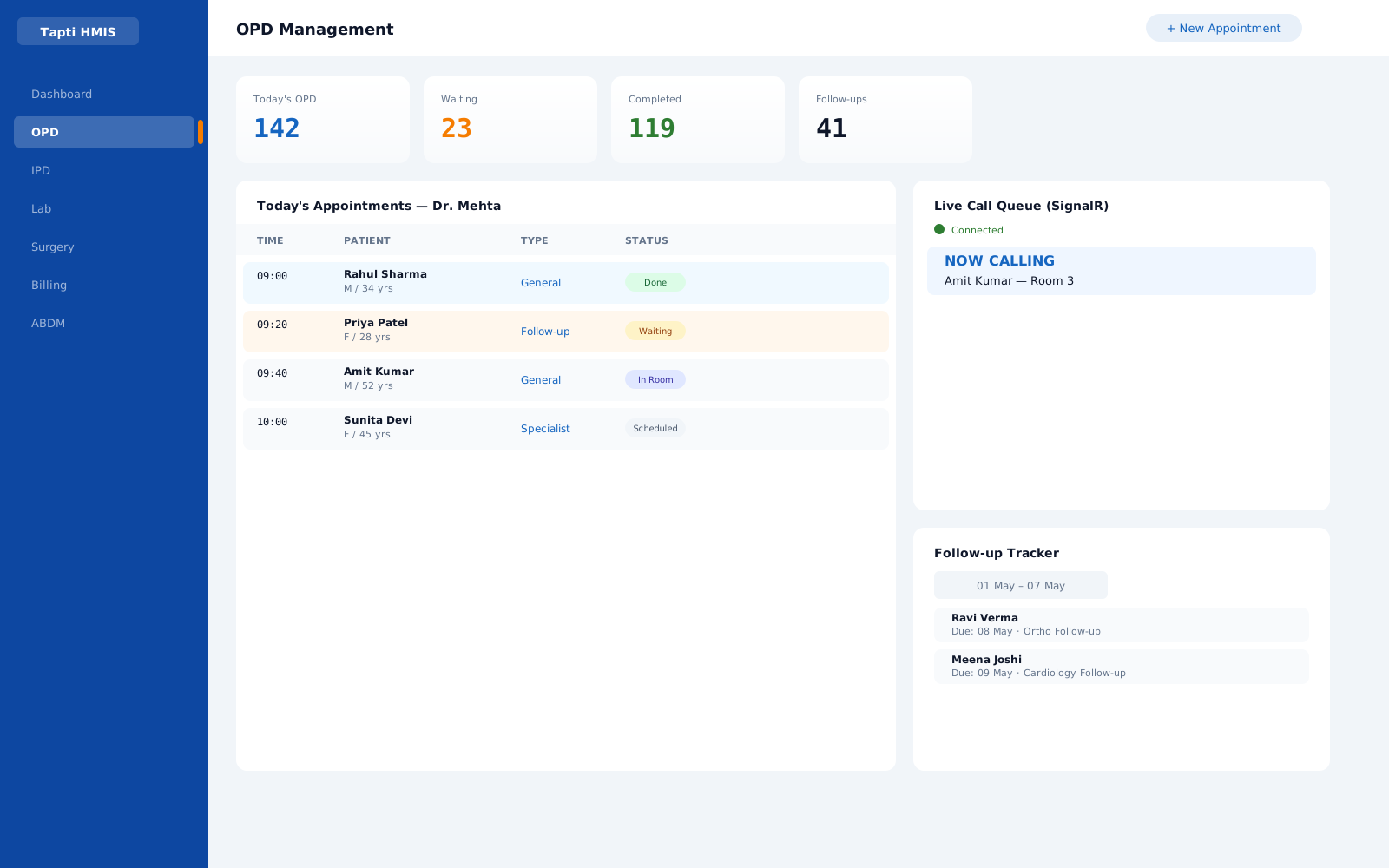
* Sample data, illustrative
Why the OPD queue breaks
Most OPD queues still run on a paper register at the front desk. Reception writes the name, hands over a slip, and the patient sits down to wait. From that moment the queue lives in three places at once: the register, the receptionist's memory and the doctor's cabin. None of them agree.
The symptoms are familiar to every hospital owner. A consultant finishes a patient and waits two minutes for the next one to be found. A walk-in patient who arrived early is called after someone who arrived late. Reception spends the morning on the intercom asking which doctor is free. Follow-up patients turn up and nobody expected them. And at the end of the visit, the patient joins a second queue at the billing counter because the charges were never entered.
Adding chairs does not fix any of this. What fixes it is one shared, live view of the queue that reception and every doctor read from, plus a way for the doctor to call the next patient without leaving the cabin.
Token, TV display, next patient
The waiting room runs on three things patients can see: a printed token, a screen on the wall and a doctor who calls the next number.
- 01
Print a token at registration
Reception registers the patient, whether a walk-in or a booked appointment, and Tapti HMIS prints an OPD token. The patient leaves the desk holding a number instead of a vague "please wait".
- 02
Show the queue on a TV
The token queue appears on a TV display in the waiting area. Patients watch their number move up, so they stop asking the front desk how long it will take. The TV and printer are your hospital's own hardware; ask in the demo what your setup needs.
- 03
The doctor calls the next patient
From the cabin, the doctor calls the next patient and the queue moves. Reception sees the same change live, with no intercom and no shouting down the corridor.
- 04
Walk-ins and appointments, one queue
Booked appointments and walk-in patients are managed in the same doctor-wise queue, so an early walk-in is not lost behind a late booking, and nobody keeps a second list on paper.
How Tapti keeps the queue moving
Every capability below is part of the Tapti HMIS OPD module. Nothing here is a separate add-on.
Doctor-wise queues
Reception books each patient against a doctor and a date. Every consultant gets a clean list of who is waiting for them, not one shared register for the whole floor.
OPD moduleLive patient calling
When the doctor is ready, the next patient is called from the cabin in real time. Reception sees the status change the moment it happens.
OPD moduleLive status for reception
Appointment creation and status updates appear as live notifications, so the front desk always knows who is waiting, who is in and who is done.
Staff-to-reception messaging
A consultant can reach the front desk through inter-staff live notifications instead of walking out of the cabin or picking up the phone.
Today at a glance
The OPD dashboard shows today's appointments, the follow-up list and appointment remarks, so the day's load is visible before the first patient sits down.
No second queue at billing
Charges are billed against the OPD visit, with favourite-charge shortcuts at the counter and Cash, Card, UPI or Cheque payments.
Billing module
One patient, one path
Here is how a single OPD visit runs from the front desk to the counter in Tapti HMIS.
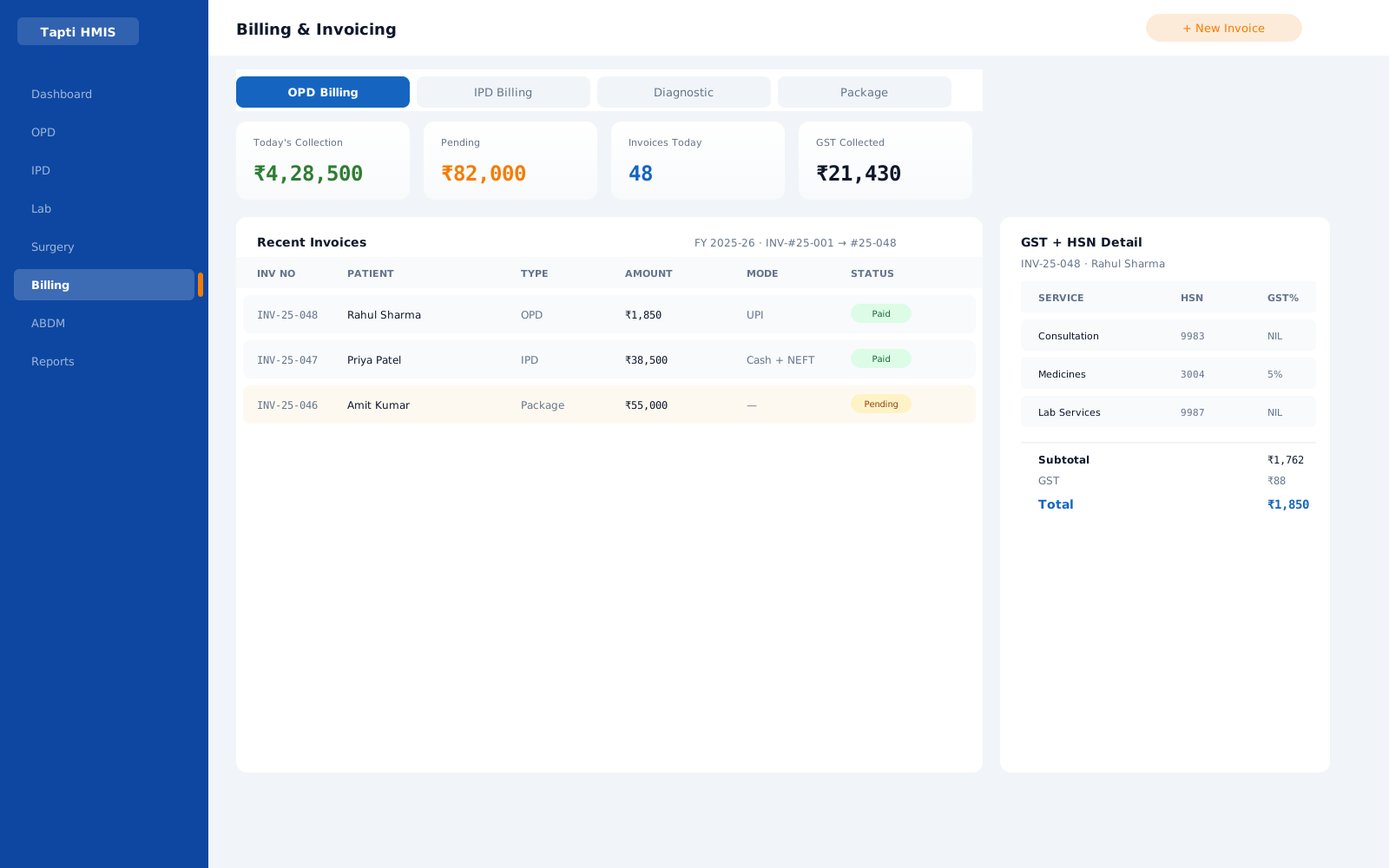
- 01Register or find the patientReception searches the patient record or registers a new patient, then books the visit against the right doctor and date. Notes and secondary notes flag anything the doctor should know.
- 02The queue updates everywhereThe new appointment appears live. The doctor's list and the reception view show the same queue, with no phone call needed.
- 03The doctor calls the next patientFrom the cabin, the doctor calls the next patient in real time. Reception sees the status change and sends the patient in.
- 04Consultation on one screenSymptoms, clinical notes, diagnosis and prescriptions go in during the visit, with consultation templates for common cases. Lab tests are ordered at appointment level.
- 05Follow-up booked, bill readyReturning patients land on the follow-up list. The OPD treatment sheet prints in one click, and billing already knows what was done.
What to look for in an OPD queue system
Before you choose any OPD queue management system, check it against the questions that actually decide waiting time.
- Does the doctor call the next patient from the cabin?If calling still depends on a receptionist hearing a buzzer, the queue has not changed. Tapti's doctor-to-reception calling is live.
- Is the queue split by doctor?A single list for a multi-consultant OPD hides who is overloaded. Tapti shows appointments doctor-wise and date-wise.
- Does reception see status changes without refreshing?Real-time notifications mean the front desk works from the current state, not from five minutes ago.
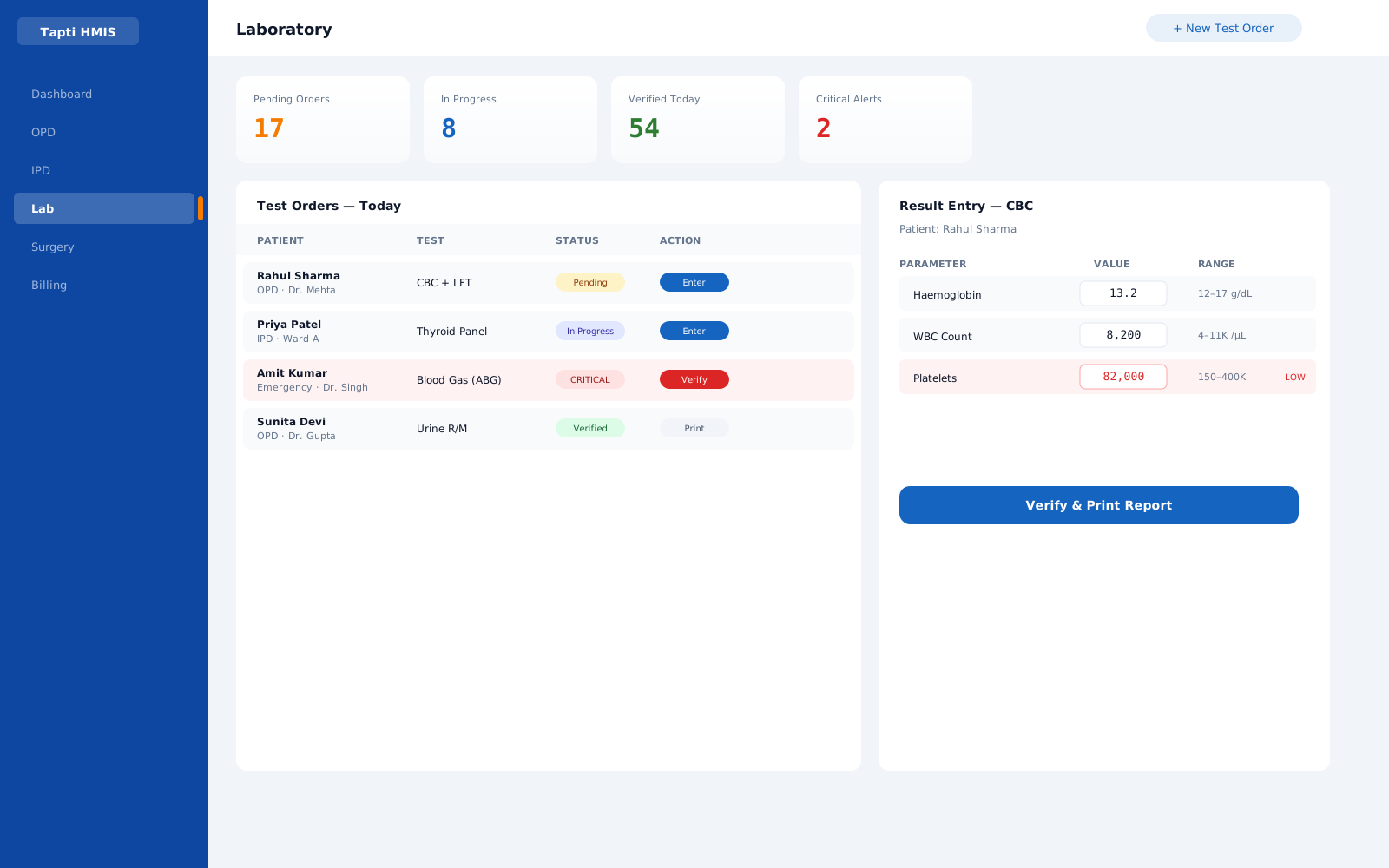
- Does the consultation feed billing and lab?A queue tool that stops at the cabin door just moves the crowd to the counter. Tapti carries prescriptions, lab orders and charges through the same visit.
- Are follow-ups tracked?A follow-up list with date-range filters turns returning patients into expected patients.
- Can it grow into a full HMIS?OPD can start alone and later sit inside the OPD + IPD package or the Full Suite, on the same patient record.
From queue to full OPD
The queue is the visible part of the OPD. Underneath it, Tapti records the full outpatient visit: vaccination history, investigation reports, lab parameters and printed treatment sheets. Doctor patient count reports show how the load was shared across consultants, so you can plan rosters on numbers instead of impressions.
Small clinics can start with OPD as a standalone module from ₹5,000 a year for up to 3 users. Hospitals that also admit patients get OPD inside the OPD + IPD package or the Full Suite. ABHA is created, verified or linked on the same registration screen the front desk already uses.
Go deeper
Every OPD feature, in one place
This page is about the waiting room. The OPD module page lists every outpatient capability, from consultation templates to vaccination records, with the plans that include it.
Common questions
What is an OPD queue management system?
Software that keeps track of which outpatients are waiting for which doctor, and lets the doctor call the next patient without paper or shouting. In Tapti HMIS this runs on doctor-wise appointment lists and real-time patient calling.
Do patients wait while the doctor finishes notes?
Less. Consultation templates and one-screen notes, prescriptions and lab orders shorten each visit, and the doctor signals readiness for the next patient from the cabin instead of sending someone out to the corridor.
How does a new patient get into the queue?
Reception registers or finds the patient and books the visit against a doctor and date. The appointment appears live in that doctor's list, and the doctor calls the patient in from the cabin when ready.
Does Tapti print OPD tokens and show the queue on a TV?
Yes. Tapti HMIS prints OPD tokens at registration and shows the token queue on a TV display in the waiting area. The queue, including walk-ins and appointments, is managed inside the software. The TV and printer are your own hardware; ask in the demo what your setup needs.
How does reception know which doctor is free?
Through live notifications. Appointment creation and status changes appear at reception in real time, and when a doctor calls the next patient the front desk sees it at once, so nobody has to phone the cabin.
The modules behind this
Run your hospital on one platform.
See Tapti HMIS live in a 30-minute walkthrough, tailored to your hospital's departments, beds, and workflows.