
Operation theatre management, from schedule to op notes
Included in: Full Suite See pricing
* Sample data, illustrative
What the Surgery & OT module does
Surgery catalogue
A procedure master organised by surgery group, department and category of surgical procedure.
OT scheduling
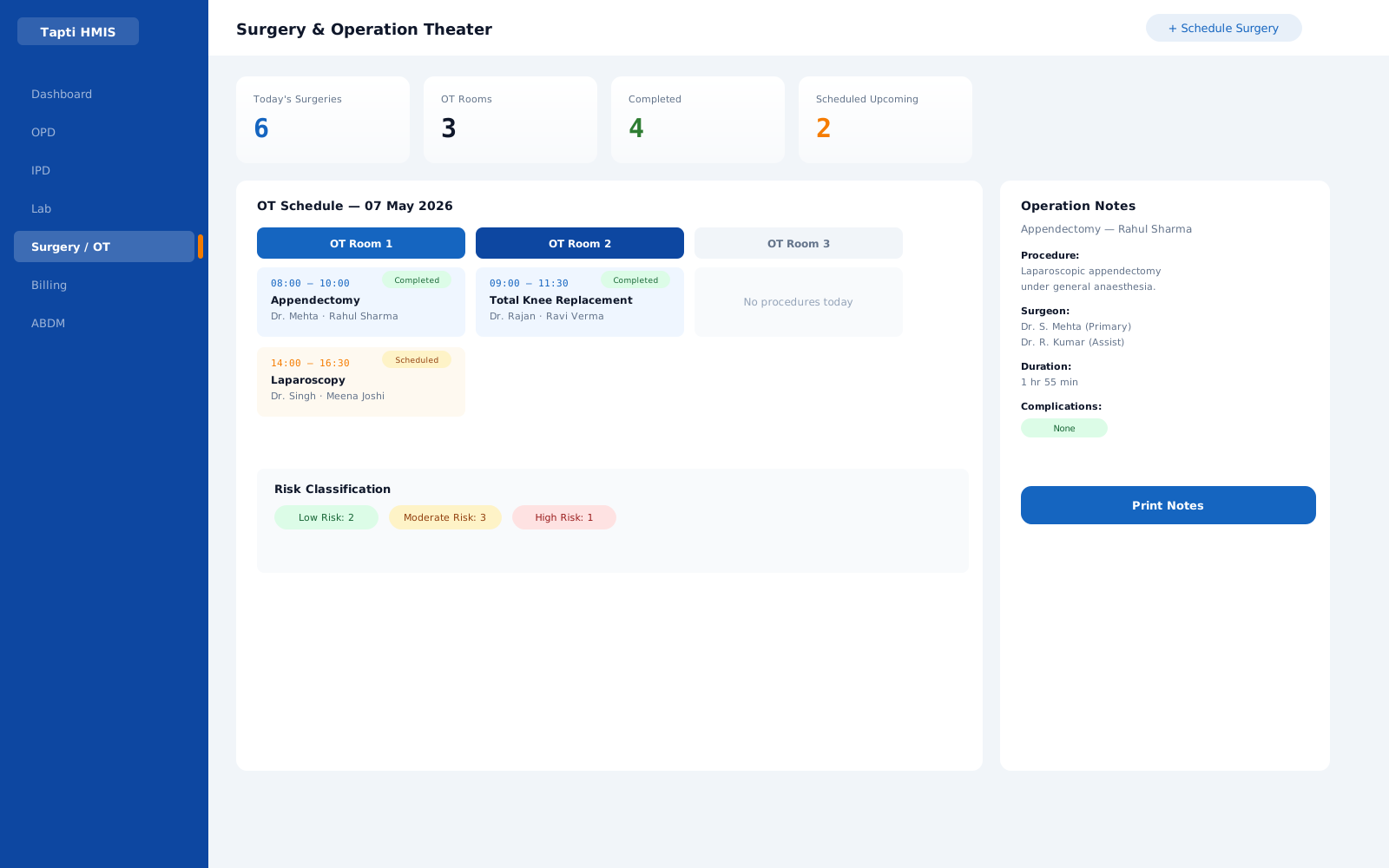
Schedule cases against operation theatres, with full create, edit and cancel control.
The whole surgical team
Record surgeon, assistant surgeon, anaesthetist and paediatrician on every case.
Type and risk classification
Classify each case by type of surgery and surgical risk.
Patient preparation records
Document preparation, position and draping of the patient, plus operative dressing.
Cancer staging
Track cancer stage detail where the procedure calls for it.
Operation notes printing
Generate and print operation notes, which also feed the IPD surgical notes on the patient's file.
In practice
Two theatres, one schedule
A surgical hospital runs two OTs. Cases are booked against each theatre with the surgeon, assistant and anaesthetist named up front, so the day's list is clear before the first incision. When a case ends, the preparation and positioning records are already in, and the operation notes print straight to the patient's IPD file.
Illustrative scenario.
Surgery & OT questions
Can we record the full surgical team for each case?
Yes. Every scheduled case records the surgeon, assistant surgeon, anaesthetist and paediatrician.
Does the module print operation notes?
Yes. Operation notes are generated and printed from the case, alongside the IPD surgical notes sub-module.
Can surgeries be classified by risk?
Yes. Cases carry a type of surgery and a surgical risk classification, along with the category of procedure.
Which package includes Surgery & OT?
Surgery & OT is part of the Full Suite, which includes every module.
Works hand in hand with
Run your hospital on one platform.
See Tapti HMIS live in a 30-minute walkthrough, tailored to your hospital's departments, beds, and workflows.