
On this page
- How to score
- Section 1. Registration and patient records (M)
- Section 2. OPD (M)
- Section 3. IPD and wards (M)
- Section 4. Laboratory and diagnostics (M if in-house)
- Section 5. Billing and finance (M)
- Section 6. Insurance, TPA and mediclaim (M if you take cashless patients)
- Section 7. Pharmacy, inventory and surgery (M or N by hospital)
- Section 8. ABDM and compliance (M)
- Section 9. Doctors, reports and access control (M)
- Section 10. Deployment, training, support and contract (M)
- Demo scenarios to run live
- Scorecard
- Want us to fill this in for you?
- Frequently asked questions
- What should be in a hospital management software RFP?
- How many vendors should I shortlist?
- Which features are must-haves for a 30-bed hospital?
- How long should evaluation take?
- Can I print this checklist?
- Does the vendor need to show everything live?
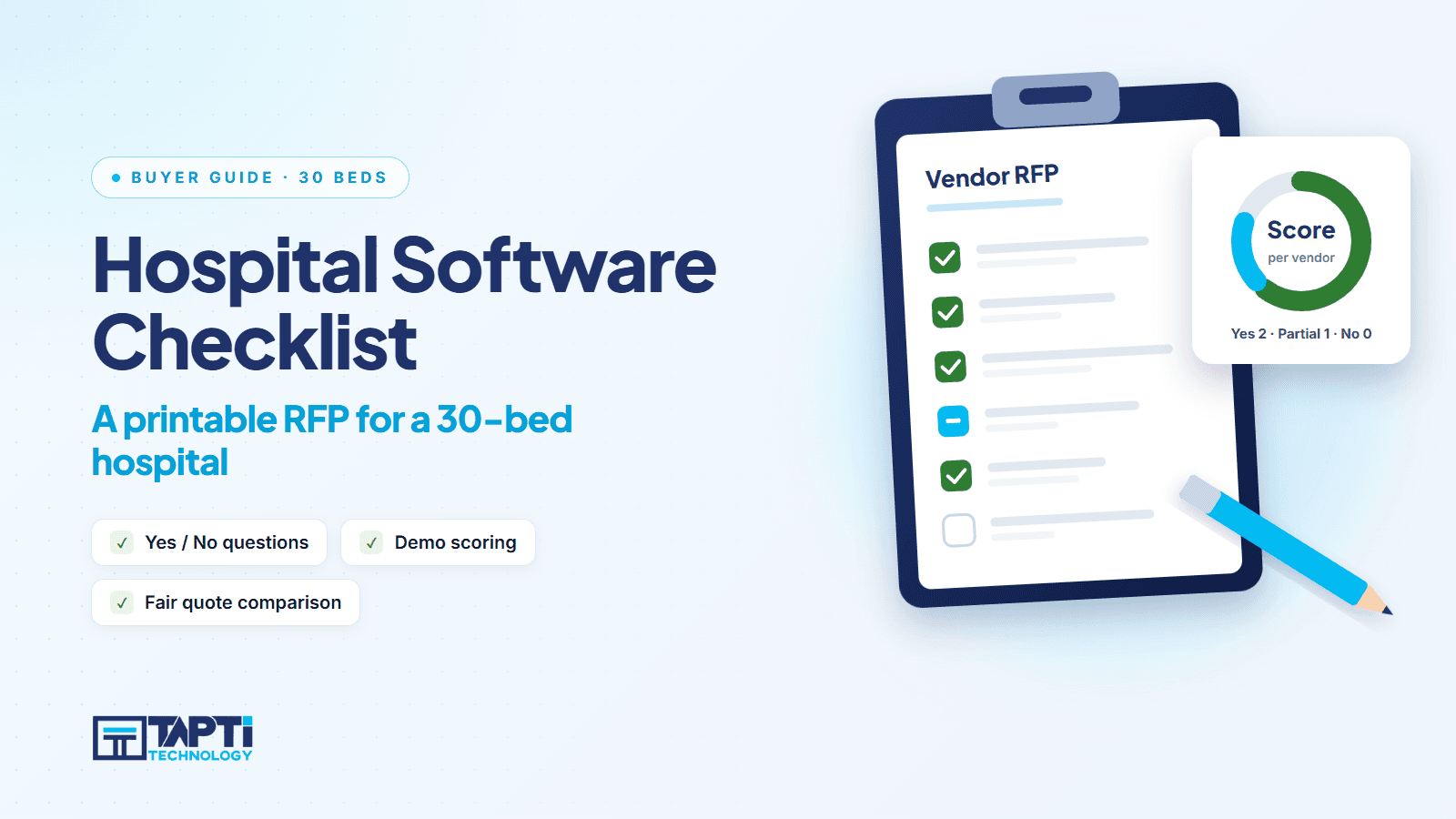
Our guide to choosing an HMIS for a 30-bed hospital explains the thinking. This post is the tool: a checklist you can print, send to vendors as an RFP, and use to score demos side by side.
Use it like this. Send Sections 1 to 10 to every shortlisted vendor and ask for a written Yes, No or Partial on each line, with a note. Then sit in each demo with a printed copy and tick what you actually see. A feature that is only "available on request" is a Partial.
How to score
| Answer | Points |
|---|---|
| Yes, shown live in the demo | 2 |
| Yes, but only described or configured on request | 1 |
| No, or not shown | 0 |
Mark each section as Must have (M) or Nice to have (N) for your hospital before the first demo. A zero on any Must have is a red flag, whatever the total.
Section 1. Registration and patient records (M)
☐ Register a patient with demographics, photo and ID proof
☐ Search a patient by name or other identifiers
☐ Bulk import existing patient records from Excel
☐ Merge duplicate patient records
☐ Print patient stickers and a letterhead
☐ Record family history, past history and habits
Section 2. OPD (M)
☐ Doctor-wise and date-wise appointment booking
☐ Live patient calling, with the doctor's status visible at reception
☐ OPD token printed at registration, and the queue shown on a waiting-area TV (ask who supplies the TV and printer)
☐ Walk-ins and appointments managed in one doctor-wise queue
☐ Symptoms, diagnosis and prescription recording
☐ Reusable consultation templates
☐ Lab test ordering from the appointment
☐ Follow-up list with date filters
☐ Vaccination records
☐ Printable OPD treatment sheet
Reference: OPD module. For the queue flow specifically, see our OPD token queue guide.
Section 3. IPD and wards (M)
☐ Admission with room and bed assignment
☐ Room shifting and bed transfer with a record
☐ Deposit collection with receipts
☐ Automatic daily room charges (ask what happens if the server was down overnight; Tapti's 5 AM job recovers missed charges on restart)
☐ Usable on a tablet by doctors and nurses on ward rounds (ask to see it on a tablet in the demo)
☐ Configurable clinical records: vitals, diagnosis, treatment, doctor visits, surgical notes, medicines
☐ Medication error and adverse drug reaction recording
☐ Obstetric delivery records, if you run a maternity ward
☐ Dialysis forms, if you run a dialysis unit
☐ Discharge card with condition, remarks, advice and diet instructions
Reference: IPD module and the 19 IPD sub-modules. For the full IPD workflow, see IPD management software.
Section 4. Laboratory and diagnostics (M if in-house)
☐ Test catalogue with groups, parameters, units and normal ranges
☐ Predefined report templates and health-package templates
☐ Sample type management
☐ Lab machine integration (ask which machines, and who does the setup)
☐ Verification status before release
☐ Dashboard of pending and completed reports
☐ Printing single test, group-wise and all diagnostics
☐ Standalone diagnostic invoicing
Reference: Laboratory module and Tapti Laboratory.
Section 5. Billing and finance (M)
☐ Separate OPD, IPD, diagnostic and health-package invoices
☐ Charge master with categories and types; favourite charges for quick billing
☐ Tariff and package masters
☐ GST and HSN code support
☐ Invoice numbers aligned to the April to March financial year
☐ Cash, card, UPI and cheque payment types
☐ Refunds, invoice returns and payment-mode changes
☐ IPD bill status tracking (Pending, Final)
☐ Expense and income vouchers
☐ Daily balance report filtered by date, doctor, payment type and user
Reference: Billing module.
Section 6. Insurance, TPA and mediclaim (M if you take cashless patients)
☐ TPA master
☐ Pre-authorisation management
☐ Cashless request per admission
☐ File dashboard showing pending, outstanding and completed files
☐ Submission, payment and rejection recording
☐ Claim linked to the IPD invoice
☐ Claim form printing
Reference: Mediclaim module and our post on cutting claim rejections.
Section 7. Pharmacy, inventory and surgery (M or N by hospital)
☐ Pharmacy software available, and how it connects to the HMIS (see Tapti Pharmacy)
☐ Store departments and item categories
☐ Indents, purchase orders, goods received and purchase payments
☐ Item approval workflow
☐ Surgery catalogue and OT scheduling
☐ Surgical team, risk classification and operation notes printing
Section 8. ABDM and compliance (M)
☐ ABHA creation and verification inside patient registration
☐ Linking an existing ABHA to the patient record
☐ ABHA QR codes and card
☐ An official listing you can verify on the National Health Authority website
Tapti HMIS is officially ABDM-integrated for milestones M1, M2 and M3, listed by the National Health Authority as an ABDM integration partner (integration completed 18 Sep 2026). Hold every vendor to the same standard: ask for the listing. See the ABDM module and our guide to PM-JAY and ABDM readiness.
Section 9. Doctors, reports and access control (M)
☐ Doctor revenue sharing for in-house and visiting doctors, with save, reset and finalise steps
☐ Sharing payment history per doctor
☐ Doctor-wise, department-wise and category-wise revenue reports
☐ Outstanding reports
☐ Per-screen View, Add, Edit and Delete permissions
☐ Role templates
☐ Audit trail of every create, update and delete
Reference: Doctor sharing, Reports, Users and roles, and our post on doctor revenue sharing.
Section 10. Deployment, training, support and contract (M)
☐ Cloud and on-premise options; who manages backups and how often
☐ Realistic go-live timeline in writing (Tapti typically quotes 2 to 4 weeks for OPD-only and 4 to 8 weeks for the Full Suite)
☐ Role-based staff training for each department, with printed guides
☐ Tracked support tickets with attachments and status (see Support)
☐ Data migration plan for patients, billing history and masters
☐ Written price for 30 beds, including add-ons, with year-two renewal terms
☐ Clear list of paid add-ons (for example WhatsApp Business integration is a paid add-on at Tapti)
☐ What happens to your data if you leave: export format and timeline
☐ A reference hospital of similar size you can call
Demo scenarios to run live
Checklists tell you what exists. Scenarios tell you whether it works. Give every vendor the same ones:
Night admission. A patient arrives at 11 pm, is admitted, assigned a bed and a deposit is taken.
Shift and charge. Move the patient to a different room category on day two. Show what the room charge does.
Cashless discharge. Discharge a mediclaim patient, with pre-authorisation, and print the claim form.
Sharing month-end. Calculate and finalise doctor revenue shares for the month.
Duplicate patient. Two records exist for one person. Merge them.
Staff change. A receptionist leaves. Show how a new one gets access to billing but not reports.
Scorecard
| Section | Must have? | Vendor A | Vendor B | Vendor C |
|---|---|---|---|---|
| 1. Registration | M | |||
| 2. OPD | M | |||
| 3. IPD | M | |||
| 4. Lab | ||||
| 5. Billing | M | |||
| 6. Insurance | ||||
| 7. Pharmacy, stores, OT | ||||
| 8. ABDM | M | |||
| 9. Doctors, reports, access | M | |||
| 10. Deployment and support | M | |||
| Total |
Want us to fill this in for you?
We will answer every line honestly, including the ones we do not do. Book a free demo and bring your scorecard. You can also read the HMIS software for India overview first, or compare pricing anchors.
Frequently asked questions
What should be in a hospital management software RFP?
Scope by department, must-have and nice-to-have features, deployment model, migration plan, training, support terms, a written price for your bed count with add-ons, and a reference hospital.
How many vendors should I shortlist?
Three is enough. Send all three the same checklist, run the same demo scenarios and score them on the same sheet.
Which features are must-haves for a 30-bed hospital?
Typically registration, OPD, IPD with automatic room charges, billing, ABDM and role-based access. Lab, pharmacy, mediclaim and surgery are must-haves if you run them in-house or take cashless patients.
How long should evaluation take?
Two to three weeks: one week for written responses, one for demos, a few days to score and call references.
Can I print this checklist?
Yes. Copy it into a document or print this page. Mark each section Must have or Nice to have before you contact vendors.
Does the vendor need to show everything live?
It should show the Must have items live. Anything only described counts as Partial.