
On this page
- What is a laboratory information system?
- Hospital lab or diagnostic centre: two different jobs
- Where hospital labs lose time
- Features that matter in a laboratory information system
- 1. Orders straight from OPD and IPD
- 2. Parameters, units and normal ranges you control
- 3. Templates and panels for fast entry
- 4. Sample types, barcodes and machine integration
- 5. Verification before anything prints
- 6. Printing in the formats you actually use
- 7. Report delivery
- 8. A dashboard that answers "is it ready?"
- 9. Billing for walk-in tests
- 10. Health packages
- ABDM and the lab
- Questions to ask in an LIS demo
- Pricing
- See your lab running on Tapti
- Frequently asked questions
- What is a laboratory information system?
- What is the difference between Tapti's lab module and Tapti Laboratory?
- Can lab results be verified before they are printed?
- Does Tapti support lab analysers?
- Can we set our own normal ranges and templates?
- Can patients receive reports on WhatsApp?
- Is Tapti's lab software ABDM-integrated?
A hospital lab is judged on two things: the right result, and how fast it reaches the doctor.
Everything else is plumbing. But bad plumbing is what causes the trouble: a test ordered on the ward that never reached the lab, a patient name typed twice with two spellings, a report printed before anyone checked it, a doctor sending a ward boy to ask "is the CBC ready?".
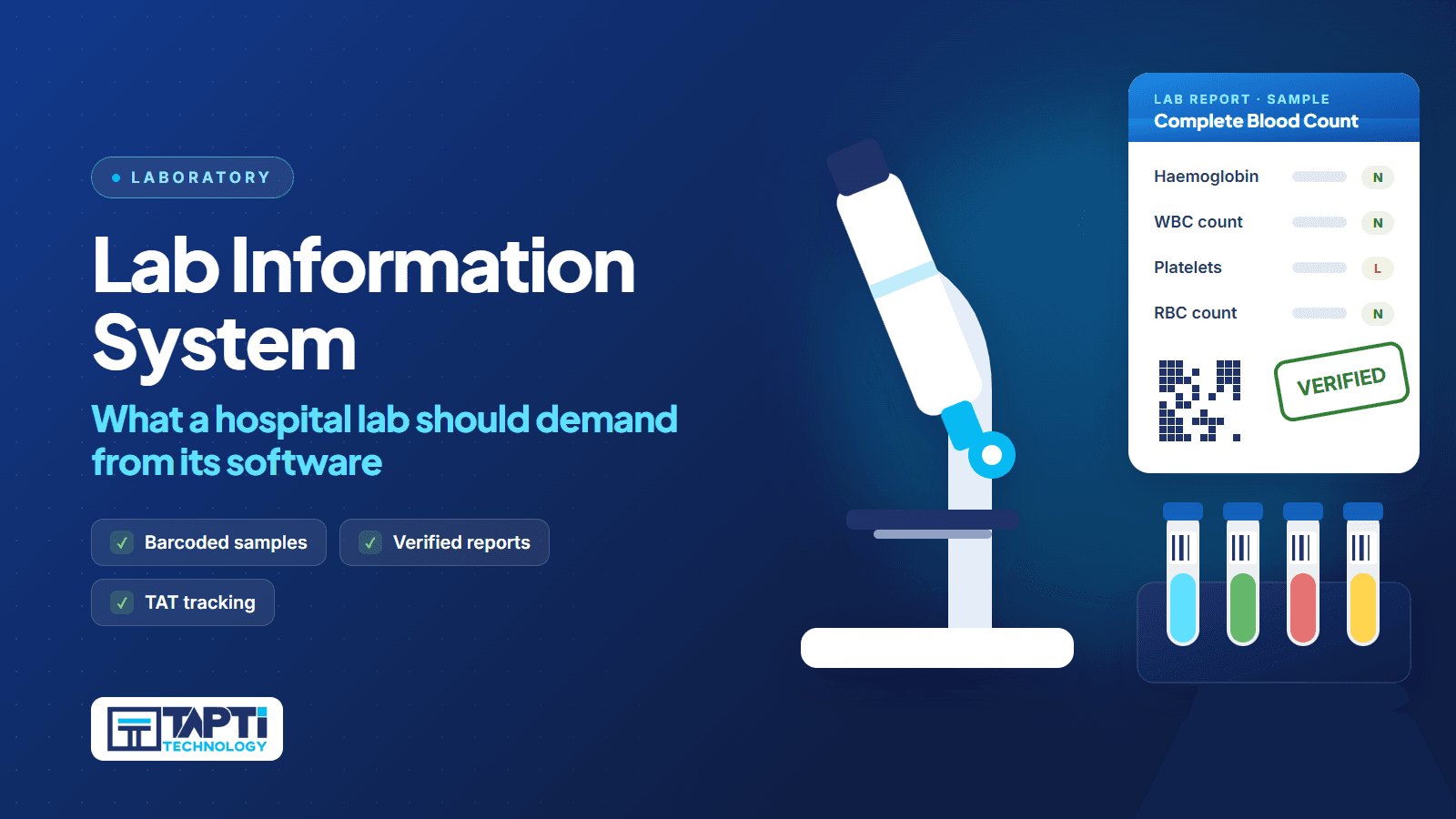
A laboratory information system (LIS) fixes the plumbing. This guide explains what an LIS should do for a hospital lab in India, how it differs from standalone diagnostic centre software, and what to test before you buy. To see the product first, visit Tapti Laboratory or the lab module inside Tapti HMIS.
What is a laboratory information system?
A laboratory information system is software that manages the lab's work from order to report. It registers the patient and sample, lists the tests to run, captures results against configured parameters and normal ranges, routes reports for verification, and prints or delivers the final report.
In a hospital, it has one more job: it must stay connected to the patient's hospital record. Tests are ordered from a consultation or a ward round, billed on the same invoice, and the report must come back to the same file.
Hospital lab or diagnostic centre: two different jobs
Before you compare products, decide which job you are buying for.
The in-house hospital lab. Much of the work comes from your own OPD and IPD. The lab does not need to register patients from scratch; it needs orders to arrive already linked to the patient, and results to flow back to the doctor and the bill.
The standalone diagnostic centre. Patients walk in or are referred by outside doctors. The lab registers, bills, collects samples, tracks referral sources and delivers reports directly to patients.
Many hospitals do both: an in-house lab that also accepts walk-in patients. Tapti covers each case. The lab module in Tapti HMIS is built for the hospital's in-house lab and tied to OPD, IPD and billing. Tapti Laboratory is the standalone product for independent diagnostic centres, and it can run alongside Tapti HMIS so OPD and IPD lab orders flow in and verified reports flow back to the patient's hospital record.
Where hospital labs lose time
The delays are predictable:
Orders on paper. A test written on a case sheet has to be carried to the lab and typed again.
Duplicate patient entry. The lab creates its own record, and now the patient exists twice.
Free-text results. Without configured parameters and ranges, every report looks different and abnormal values are easy to miss.
No verification step. Reports leave the lab without a second check.
No status view. Nobody can see what is pending without walking to the lab.
Walk-in billing chaos. An outside patient wants a test only, and OPD billing was not built for that.
Features that matter in a laboratory information system
1. Orders straight from OPD and IPD
In a hospital, this is the feature that matters first. In Tapti HMIS, tests ordered during a consultation or an admission arrive in the lab already linked to the patient, with bulk result saving at appointment level. Nobody re-types a name. See how ordering works from the OPD module and the IPD module.
2. Parameters, units and normal ranges you control
Your lab's test catalogue should be yours to build. In Tapti, each test parameter is configured with its unit and normal range, and parameters are grouped the way your lab reports them, for example CBC, LFT or KFT. Tapti Laboratory also supports reference ranges by age and sex, and flags out-of-range values as high, low or critical when results are entered. All of this is set up through the masters screens, without a developer.
3. Templates and panels for fast entry
Result entry should take seconds for the tests you run every day. Tapti includes predefined test panels and health-package templates, so the technician fills a ready form instead of building one each time. In Tapti Laboratory, results can be saved as a draft and resumed later.
4. Sample types, barcodes and machine integration
Samples need clear identity. Tapti manages sample types such as serum, EDTA, urine and swab. In Tapti Laboratory, samples are barcoded automatically at registration, with multi-vial support.
For analysers, Tapti supports lab machine integration so values populate the result entry screen directly, with manual entry for tests that are not integrated. Integration scope depends on the analyser model, so bring your machine list to the demo and we will scope it.
5. Verification before anything prints
This is non-negotiable. A report should not leave the lab until someone qualified has checked it. In Tapti HMIS, reports carry a verification status, and the lab dashboard shows which are pending and which are complete. In Tapti Laboratory, the workflow is two-step: the technician enters, the pathologist verifies. Results stay locked until verification, the verified report carries a digital signature and timestamp, and a pathologist can reject a result back to the technician with a reason. Routine templates can be bulk-verified.
6. Printing in the formats you actually use
Labs print in different ways for different doctors and patients. Tapti prints a single test, a group-wise report, or every diagnostic for the visit in one report. Tapti Laboratory adds headed, header-less (for pre-printed stationery) and continuous formats, a QR code on every report, and a re-print log with user audit.
7. Report delivery
Patients increasingly want reports on their phone. In Tapti Laboratory, once a report is verified the patient can receive a secure download link by email and, as a paid add-on, by WhatsApp.
8. A dashboard that answers "is it ready?"
The lab dashboard should replace the phone call. Tapti Laboratory's dashboard shows pending samples by status, turnaround-time tracking with overdue items highlighted, doctor-wise and department-wise filters, daily collection, and top tests by volume and revenue.
9. Billing for walk-in tests
When an outside patient comes for a test only, the lab needs its own invoice. Tapti HMIS has a standalone diagnostic invoice, separate from OPD and IPD billing, with sample collection dates tracked on it. Tapti Laboratory generates the diagnostic invoice in the same flow as sample registration and tracks the referring doctor. For in-house patients, lab charges land on the same bill as the consultation or admission. See the billing module.
10. Health packages
Full-body, cardiac and diabetic packages are sold as one item. Tapti Laboratory builds a package from templates with a single package price, shows the discount against individual tests, uses one barcode for collection and delivers one consolidated report.
ABDM and the lab
Lab reports are health records, so ABDM matters. Tapti HMIS is officially ABDM-integrated for milestones M1, M2 and M3, listed by the National Health Authority as an ABDM integration partner (integration completed 18 Sep 2026). The same integration is available in Tapti Laboratory: ABHA verification at registration, lab reports linked to the patient's health records, and consent-managed sharing. M2 is linking and sharing health records as a Health Information Provider. Read what ABDM compliance means or see the ABDM module.
Questions to ask in an LIS demo
Ask the vendor to run these live:
☐ Order a test from an OPD consultation and show it arrive in the lab, linked to the patient.
☐ Add a new parameter with its unit and normal range, without calling support.
☐ Enter an out-of-range value and show how it is flagged.
☐ Try to print an unverified report.
☐ Reject a result back to the technician and show the reason recorded.
☐ Register a walk-in patient and bill a test package.
☐ Show the pending list and which samples are overdue.
☐ Show how your analyser model would connect, and what is manual.
☐ Print the same report header-less for pre-printed stationery.
If a step is "coming soon", treat it as absent.
Pricing
Laboratory is available as a standalone module starting at ₹5,000 a year for up to 3 users, a fit for diagnostic centres. For hospitals, the lab is included in the Full Suite, which starts at ₹15,000 a year for hospitals up to 15 beds and also includes OPD, IPD, pharmacy, inventory, surgery and mediclaim. Above 15 beds, we quote to your setup, and hospitals above 100 beds get a custom quote. Tapti HMIS serves hospitals from 5 beds to 400+ beds.
For the full logic behind these numbers, read HMIS software price in India. If you are still on paper registers, our post on the 5-year ROI of going digital is a useful next read.
See your lab running on Tapti
Bring your test list, your report format and your analyser models. We will set up a few of your tests and run order to verified report live. Book your free demo.
Frequently asked questions
What is a laboratory information system?
It is software that manages a lab's work from order to report: patient and sample registration, test lists, result entry against parameters and normal ranges, verification, and report printing or delivery.
What is the difference between Tapti's lab module and Tapti Laboratory?
The lab module inside Tapti HMIS is built for a hospital's in-house lab and is tied to OPD, IPD and billing. Tapti Laboratory is the standalone product for independent diagnostic centres, and can run alongside Tapti HMIS.
Can lab results be verified before they are printed?
Yes. Reports carry a verification status in Tapti HMIS. In Tapti Laboratory, results are locked until the pathologist verifies, and the verified report carries a digital signature and timestamp.
Does Tapti support lab analysers?
Yes. Tapti includes lab machine integration support so analyser values populate result entry. Scope depends on the analyser model, and manual entry still works.
Can we set our own normal ranges and templates?
Yes. Each parameter has its own unit and normal range, and parameters are grouped into templates and health packages through the masters screens.
Can patients receive reports on WhatsApp?
Tapti Laboratory delivers a secure report link by email, and by WhatsApp as a paid add-on.
Is Tapti's lab software ABDM-integrated?
Yes. Tapti HMIS is ABDM-integrated for milestones M1, M2 and M3, and the same integration is available in Tapti Laboratory.